PhilHealth Employer Guide 2026: Registration, PEN, EPRS & Responsibilities
Everything a Philippine employer needs to register with PhilHealth, get your PEN, enroll your employees, and remit on time. From your first ER1 form to monthly EPRS payments — covered in full.
Every business that hires employees in the Philippines is legally required to register with PhilHealth and remit contributions on behalf of its workers. Under Section 15, Rule III of the Revised Implementing Rules and Regulations of the Universal Health Care Act, all government and private sector employers are required to register with the Corporation, and each shall be issued a permanent PhilHealth Employer Number. This guide covers how to register your business, what forms to use, how to get your PEN, how to register employees, and how to pay and report contributions through the EPRS system — including the 2026 remittance deadlines and the current interest waiver program.
What Is a PhilHealth Employer?
A PhilHealth employer is any entity that hires workers under an employer-employee relationship and is therefore responsible for enrolling those workers in the National Health Insurance Program and remitting their monthly premium Contributions. This includes private companies of every size, government agencies and offices, cooperatives, partnerships, sole proprietors, and household employers who hire a Kasambahay. The classification does not depend on how many staff a business has; even a sole proprietor with a single employee is considered a PhilHealth employer and carries the full set of registration and remittance obligations.
Why PhilHealth Registration Matters for Employers
Unregistered employers expose themselves to financial liability that can exceed the original unpaid contributions by a significant amount. If a deducted but unremitted contribution results in a denied claim, the employer bears direct responsibility for reimbursing whatever PhilHealth would have covered. Beyond that, late or missed remittances accrue 3% monthly interest, compounded, which adds up quickly over even a short period. Registered, compliant employers also help employees access benefits faster during hospitalizations and medical emergencies, since coverage verification is immediate when records are current and accurate.
Who Needs to Register as a PhilHealth Employer?
The requirement covers any entity with employees in the Philippines, specifically including:
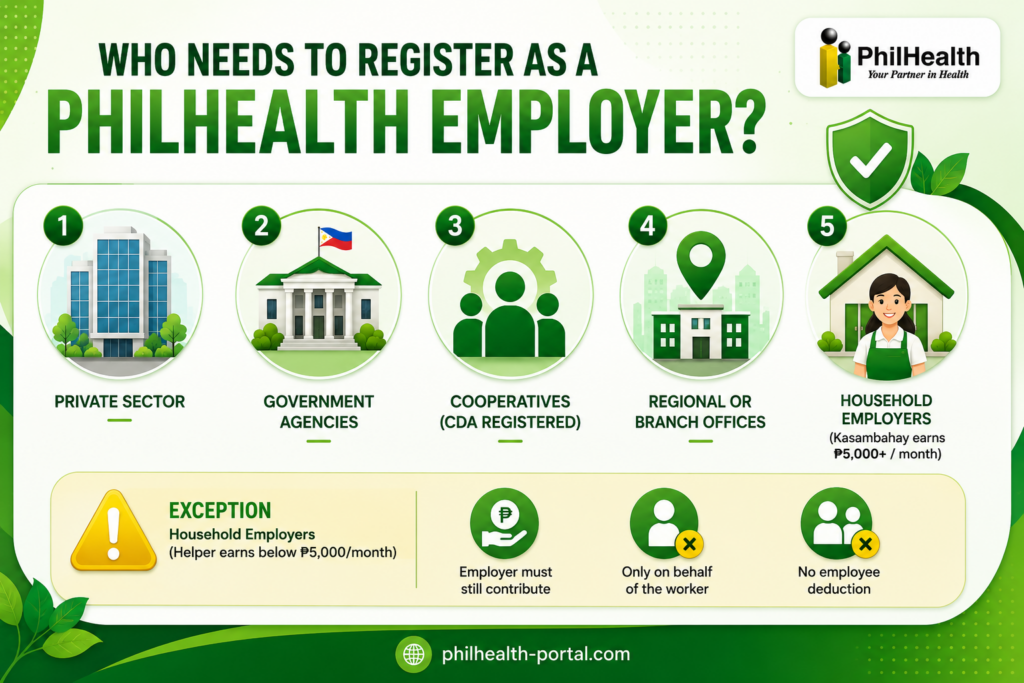
The only employer-side exception is for household employers whose helper earns below ₱5,000 a month, where the employer must still contribute but only on behalf of the worker, with no corresponding employee deduction allowed under the Kasambahay Law.
PhilHealth Employer Registration Requirements
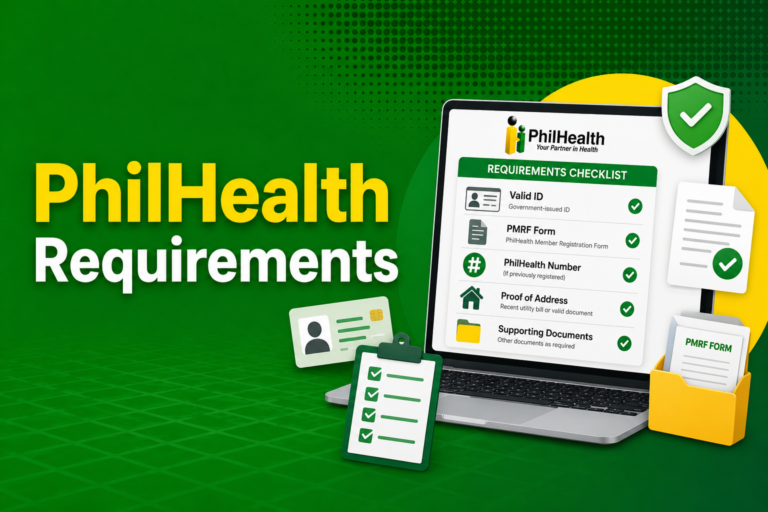
Registration requirements vary slightly depending on the type of business. The core document for all employer registrations is the ER1 (Employer Data Record), submitted in two copies.
Necessary data on the ER1 form:
- Full business name
- Complete business address
- Tax Identification Number (TIN)
- Authorized representative with original signature and designation
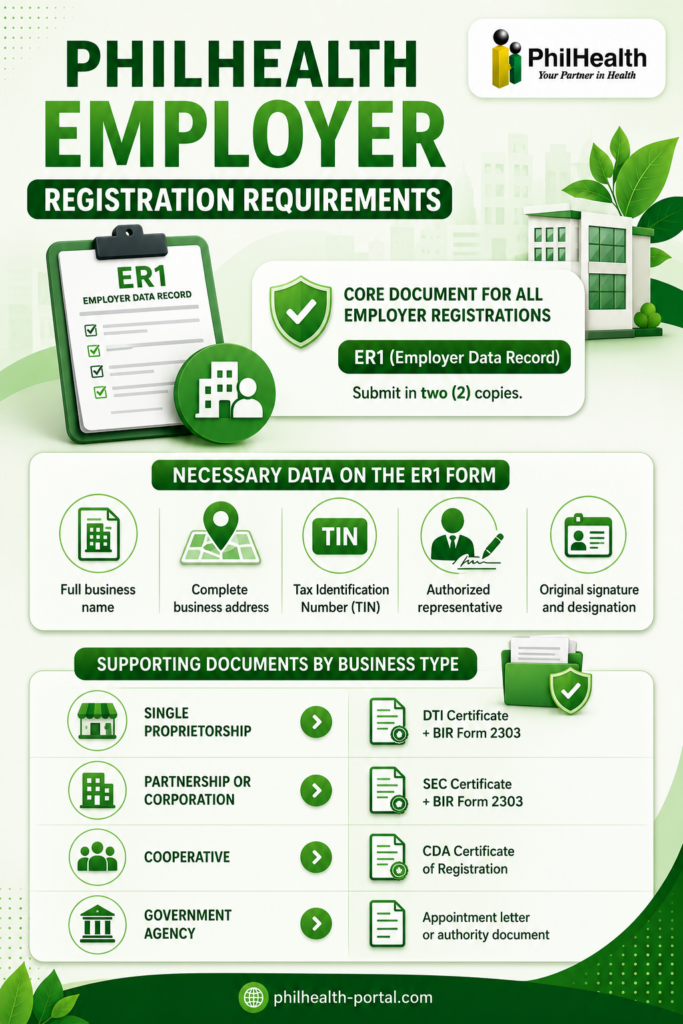
Supporting documents by business type:
| Business Type | Required Documents |
|---|---|
| Single Proprietorship | DTI Certificate + BIR Form 2303 |
| Partnership or Corporation | SEC Certificate + BIR Form 2303 |
| Cooperative | CDA Certificate of Registration |
| Government Agency | Appointment letter or Authority Document |
For regional or branch offices that wish to self-remit contributions separately from their head office, an additional BIR Form 2303 for the branch code is needed, along with a formal request for a separate PEN. The general rule is One TIN, One PEN, meaning a single business entity with one TIN typically gets one PEN, though branches with separate BIR registration numbers can be issued their own PEN for payment purposes.
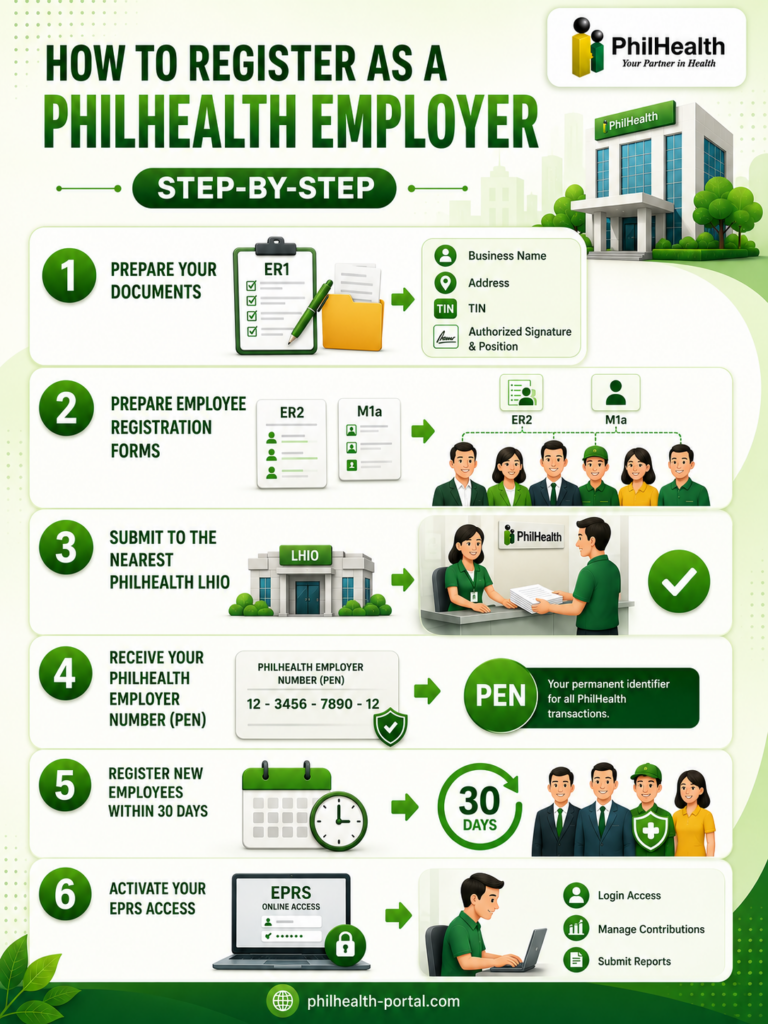
How to Register as a PhilHealth Employer (Step-by-Step)
PhilHealth Employer Number (PEN) Explained
The PhilHealth Employer Number is a unique 12-digit number assigned to each registered employer and used in all PhilHealth transactions. It appears on your Employer Data Record, on every ER2 submission, and on EPRS reports. The PEN follows a One TIN, One PEN policy, which means the same TIN cannot carry multiple PENs unless there are separate BIR-registered branches that self-remit. If your business changes its legal personality, for instance converting from a sole proprietorship to a corporation, a new PEN is issued and the old one is closed. The PEN also directly affects your remittance deadlines, since due dates are determined by the last digit of your employer number.
PhilHealth Employer Contribution: How Much Do You Pay?
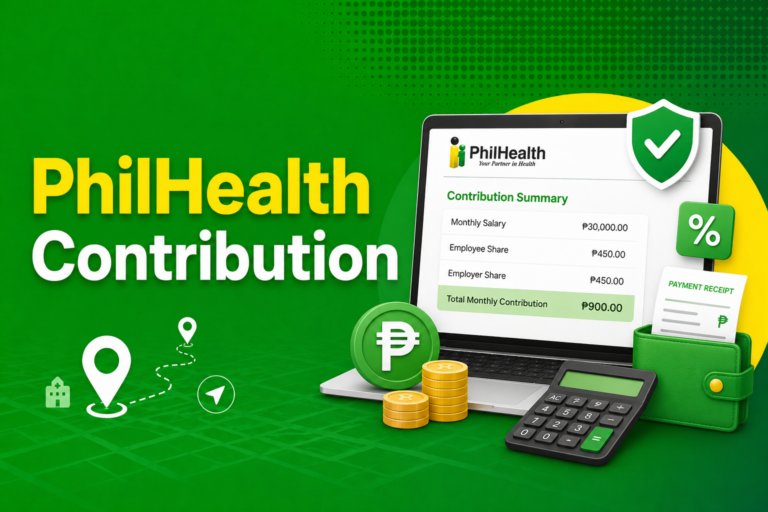
Employers share the 5% monthly premium with employees, each contributing 2.5% of the employee’s basic monthly salary. The income floor for computation is ₱10,000 and the ceiling is ₱100,000, so the employer’s minimum contribution per employee is ₱250 and the maximum is ₱2,500 monthly, regardless of how high the salary goes beyond the ceiling. For a Kasambahay earning below ₱5,000 a month, the employer shoulders both shares in full and cannot deduct any amount from the worker’s salary under the Kasambahay Law.
Employers carry the obligation to remit both the employee’s and employer’s share correctly, completely, and on time. Deducting from payroll without remitting is treated as misappropriation under the Labor Code, and the deducted amount is considered held in trust for the employee.
How Employers Pay PhilHealth Contributions (EPRS Guide)
All employers are required to use the Electronic Premium Remittance System (EPRS) as the mode for payment of premiums and preparation and submission of remittance reports. EPRS is accessed through the official PhilHealth website under the Employer Portal section, and your POAF-issued credentials are required to log in.
The payment process follows these steps each month:
The “No SPA, No Payment” rule applies here exactly as it does for individual members: banks and online channels will not process the payment without a valid SPA reference, so generating the SPA is always the first step before attempting any payment.
PhilHealth Employer Remittance Deadlines
Remittance deadlines are determined by the last digit of your PEN:
| Last Digit of PEN | Remittance Window |
|---|---|
| 0 to 4 | 11th to 15th day of the following month |
| 5 to 9 | 16th to 20th day of the following month |
The remittance report must also be submitted through EPRS within the same window. Generating the SPA a few days before the deadline rather than on the due date gives the transaction enough time to post before the window closes, reducing the risk of a late-remittance flag in the system.
PhilHealth Employer Monthly Reporting
Beyond paying contributions, employers submit a monthly remittance report via EPRS that records each employee’s premium for that period. Employers also have an ongoing obligation to keep their employee list current by reporting newly hired staff within 30 days of hiring and by submitting the RF-1 form within 30 days when an employee separates. Failing to notify PhilHealth of a separation within the 30-day window makes the employer liable for any claim the separated employee or their dependents avail after the separation date.
How to Register Employees with PhilHealth
For each new employee hired, the employer submits:
- ER2 (Report of Employee Members) — lists the employee’s name, position, salary, and date of employment, along with the company PEN and authorized signatory.
- M1a (Member Data Record Form for Employed Sector) — captures the employee’s personal details: full name, address, gender, birth date, civil status, SSS/GSIS number, signature, and a list of declared dependents.
For initial company registration, the ER2 and M1a forms are submitted alongside the ER1. For subsequent hires once the business is already registered, only the ER2 and M1a are needed. PhilHealth assigns each enrolled employee a PIN (PhilHealth Identification Number), and the MDR and PhilHealth Number Card are released to the employer for distribution to employees.
The M1a form will be rejected and returned if any of the six required fields are missing: the employee’s full name, permanent address, birth date, original signature, sex/gender, and civil status. Employees without a middle name must write “No Middle Name” or “NMN” in that field rather than leaving it blank, since a blank middle name field is treated as incomplete data.
Employee Dependents: What Employers Need to Know
When an employee declares dependents on their M1a form, the employer has a responsibility to ensure those declarations are accurate and supported by documents. PhilHealth defines eligible dependents as:
Each dependent category has its own documentary requirements. A simple child requires a clear copy of the birth or baptismal certificate showing the parent’s name. A spouse requires a marriage certificate. Stepchildren require both a marriage certificate between the member and the biological parent and the child’s birth certificate. An adopted child requires legal adoption papers or an annotated birth certificate. An undeclared dependent will not appear on the employee’s MDR, which means coverage for that family member will be denied at the hospital until the record is updated.
How to Update Employer Information
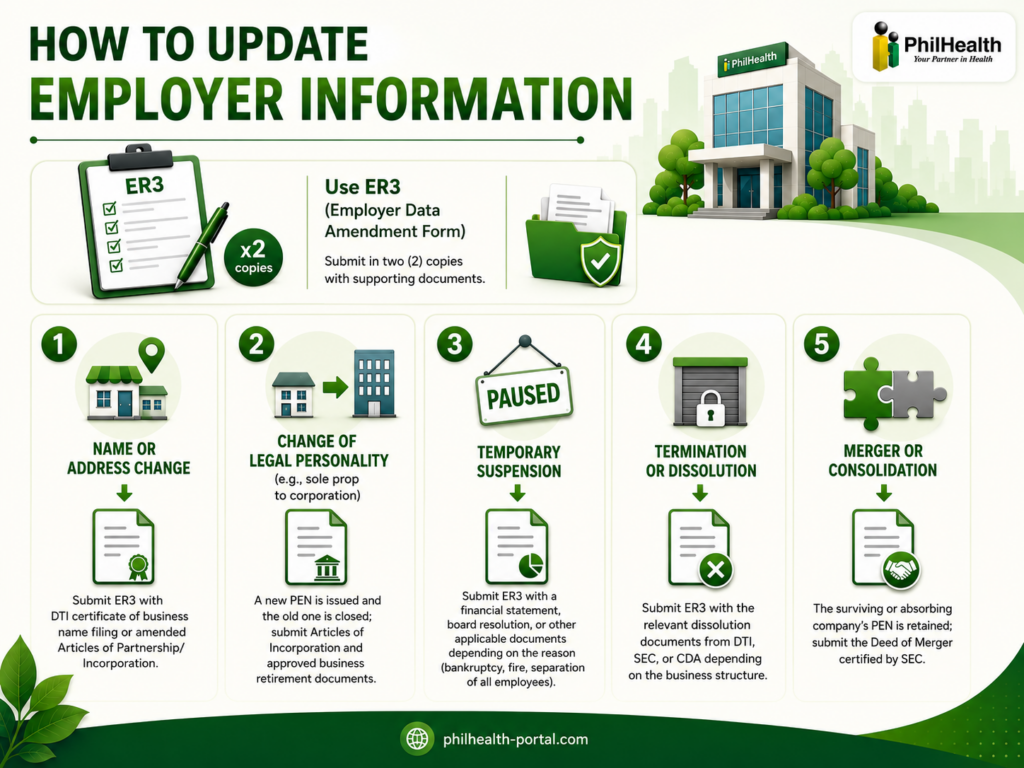
Any change to employer data, including a business name change, address update, change of legal personality, temporary suspension of operations, or closure, is processed using the ER3 (Employer Data Amendment Form), submitted in two copies with the applicable supporting documents.
Common situations and what is needed:
PhilHealth Employer Portal and EPRS Login
The EPRS portal is accessed at the official PhilHealth employer gateway, and the login URL used by most employers is eprs01.philhealth.gov.ph. After entering your PEN and password, the dashboard gives access to five key areas: employer profile, employee management, employee remittance status, online SPA generation and posting, and transaction monitoring. The transaction monitoring tab is particularly useful for confirming whether a payment has posted correctly, since it shows both posted and pending transactions alongside their reference numbers.
Penalties for Non-Compliance
Late or missed remittances accrue 3% interest per month, compounded, on the outstanding balance. Employers deducting contributions from payroll but failing to remit are treated as misappropriating funds held in trust for the employee, which creates both an administrative violation against PhilHealth and a labor standards violation under the Labor Code. In cases where an employee or dependent files a claim and PhilHealth discovers unremitted contributions, the employer is directly liable to reimburse the claim amount. Employees have the right to file a complaint with PhilHealth or the DOLE against employers who fail to remit, even after separation from employment.
The 2026 interest waiver program (PhilHealth Circular 2026-0001) provides a one-time opportunity for employers to settle unpaid contributions from July 2013 to December 2024 with reduced or fully waived interest. Employers who settle their full outstanding balance within one month of availing the program qualify for a complete waiver; those settling within two to six months pay a reduced 1% interest; and those settling within seven to twelve months pay 2% interest. The settlement window runs through December 31, 2026, making 2026 genuinely the best time for employers carrying old balances to act.
Common Problems Employers Face with PhilHealth
Forms Returned Without Being Processed
The most frequent reasons PhilHealth returns employer forms are mismatched signatories (the ER1 and ER2 must carry the same authorized signatory), photocopied or carbon-copied documents instead of originals, a missing printed name or position title on the ER1, or employer details on the ER2 that do not match what is already in the PhilHealth database. Checking every form for these four issues before submission eliminates most processing delays.
Employee Data Not Matching PSA Records
Any employee whose name, birth date, or middle name on the M1a does not match their PSA birth certificate will have a mismatch error at the point of a hospital claim. Employers catch this early by asking new hires to bring their PSA birth certificate on their first day and cross-checking before submitting the forms.
SPA Errors Blocking Payment
Generating an SPA for the wrong period or reusing an expired one are the most common reasons EPRS payments fail. Always generate a fresh SPA for each payment cycle immediately before paying.
Posting Delays After Payment
Contributions typically post within one to five working days, so checking EPRS the day after payment and expecting to see it posted is premature. Allowing the full window before raising a concern with the collecting bank or PhilHealth prevents unnecessary escalations.
Employer vs. Employee Responsibilities
| Responsibility | Employer | Employee |
|---|---|---|
| Register the company | ✓ | — |
| Register new employees within 30 days | ✓ | — |
| Deduct employee’s premium share | ✓ | — |
| Contribute employer’s matching share | ✓ | — |
| Remit both shares via EPRS | ✓ | — |
| Submit RF-1 remittance report | ✓ | — |
| Report employee separations within 30 days | ✓ | — |
| Declare dependents on M1a | — | ✓ |
| Update personal data via M2 form | — | ✓ |
| Verify contribution history via MDR | — | ✓ |
Tips for Smooth PhilHealth Employer Compliance
Build SPA generation into your monthly payroll calendar as a fixed step the week before your deadline, rather than leaving it for deadline day. Keep a clean, updated employee list in EPRS by processing new hires and separations within the 30-day reporting window, since an outdated list is the main source of reconciliation problems later. Store all ER2 and M1a originals in one organized folder per year so you can produce them quickly if PhilHealth requests verification. Periodically reconcile your EPRS transaction history against internal payroll records to catch any months where deductions were made but posting shows incomplete or missing — better to find and fix these gaps than have an employee discover them during a claim.
Frequently Asked Questions
Is PhilHealth employer registration required?
Yes. Under Section 15, Rule III of the Revised IRR of the Universal Health Care Act, all government and private employers are legally required to register with PhilHealth and will each be issued a permanent PhilHealth Employer Number.
What is a PhilHealth Employer Number (PEN)?
The PEN is a unique 12-digit number assigned to each registered employer and used in all PhilHealth transactions, including contribution remittances, employee registration, and EPRS reporting.
Can employers pay PhilHealth contributions online?
Yes. All employers are required to use the EPRS system for remittances, and the platform supports payment through partner banks, GCash, Maya, and accredited collecting agents, after generating a valid SPA.
What happens if an employer delays remittance?
Late remittances accrue 3% monthly interest, compounded; employers may also become liable for reimbursing claim amounts if an employee’s coverage is denied due to unposted contributions.
Can employer information be updated later?
Yes. Any change to employer data is processed using the ER3 (Employer Data Amendment Form), submitted with the applicable supporting documents at the nearest LHIO.
Are employers responsible for registering new employees?
Yes. Employers must report newly hired employees to PhilHealth within 30 calendar days from their start date, using the ER2 and M1a forms.
Do small businesses also need to register?
Yes. The registration requirement applies regardless of company size, including sole proprietors with a single employee.
Can I register my business with PhilHealth online?
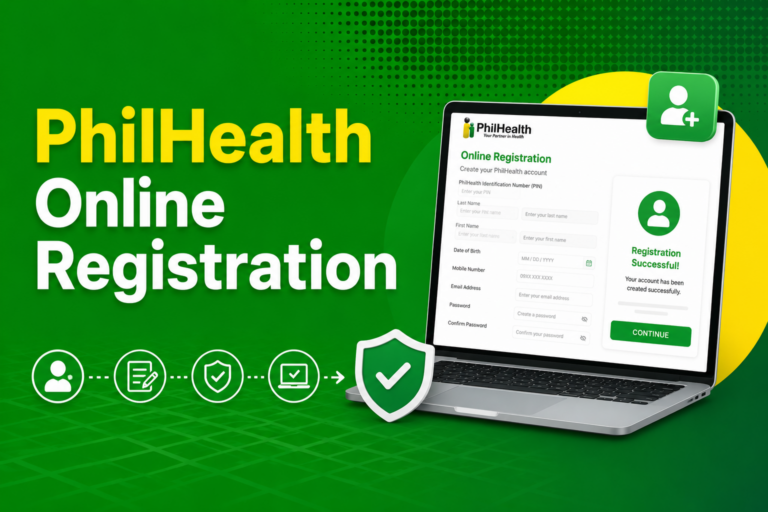
Many new businesses now receive their PEN automatically through the Central Business Portal when registering with DTI or SEC. If a PEN was not issued automatically, employers register directly at the nearest LHIO with the ER1 form and supporting documents.
Conclusion
PhilHealth employer registration is not optional, and the consequences of non-compliance grow quickly given the 3% monthly compounding interest on late remittances. The process itself is straightforward once you have the right forms: ER1 and business documents to register the company, ER2 and M1a to enroll employees, and EPRS to handle monthly reporting and payments from there. Employers carrying old unpaid balances from 2013 to 2024 have until December 31, 2026 to settle them through the interest waiver program, which is the most cost-effective window to clean up any compliance gaps before interest resumes at the standard compounding rate.