PhilHealth Requirements 2026: Documents for Registration, ID & Updates
Know exactly what to bring before you register, update your record, or apply for your ID — broken down by member type, dependent, and transaction. No guesswork, no wasted trips.
PhilHealth requirements are the documents you need to submit when registering as a new member, applying for an ID card, declaring dependents, or updating your existing record. The exact list depends on your membership category and the specific transaction you are processing. This article covers every scenario in one place so you know precisely what to bring before heading to a branch or starting an Online PhilHealth Application.
What Are PhilHealth Requirements?
PhilHealth requirements refer to the forms, valid IDs, and supporting documents that verify your identity, employment status, and eligibility for coverage. They ensure that your record in the PhilHealth system is accurate from the start, which directly affects your ability to use benefits at accredited hospitals and clinics without delays. The core requirement across almost every transaction is the PhilHealth Member Registration Form, commonly called the PMRF, paired with at least one valid government-issued ID. Everything else is added on top depending on your situation.
The Core Document: PMRF (PhilHealth Member Registration Form)
Before covering category-specific requirements, the PMRF deserves its own explanation because it appears in nearly every PhilHealth transaction — new registration, updating records, and adding dependents all use some version of this form. The PMRF is the official document where you declare your personal details, membership category, income bracket, and dependents.
Key rules for filling out the PMRF:
- Write in capital letters using a black ballpen if submitting a printed copy
- Leave the PhilHealth Number field blank if you are a first-time applicant
- Every detail must match your PSA birth certificate exactly — name spelling, middle name, birth date, and birthplace
- Download the latest version directly from www.philhealth.gov.ph since older printed copies circulating online may be outdated
- Prepare two copies for branch submission; one online submission is sufficient if registering through the portal
PhilHealth Requirements by Member Category
1. Employed Members
Employed members are those working under a formal employer-employee relationship in a private company, government agency, or household setup. In most cases, the employer’s HR department handles the registration paperwork, but some companies ask new hires to process their own PhilHealth number first.
| Document | Details |
|---|---|
| PMRF (M1a form) | Accomplished in two copies |
| Valid government-issued ID | See accepted IDs list below |
| PSA birth certificate | Required for first-time registrants |
| Company ID or Certificate of Employment | If your HR requires self-registration |
| Marriage certificate | If registering under a married name |
If your employer registers you as part of onboarding, you simply fill out the M1a form and submit it to HR. PhilHealth processes your PIN through the employer’s ER2 submission.
2. Self-Employed and Informal Economy Members
Freelancers, small business owners, market vendors, tricycle drivers, and other workers without a formal employer register directly at a PhilHealth LHIO or through the online portal.
| Document | Details |
|---|---|
| PMRF | Accomplished in two copies |
| Valid government-issued ID | At least one original plus photocopy |
| PSA birth certificate | Required for first-time registrants |
| Proof of income or business | Any one of: DTI certificate, Mayor’s Permit, ITR, business receipts, or a notarized affidavit of income |
| Marriage certificate | If applicable |
The proof of income document establishes your income bracket, which determines how much your monthly premium will be. If you do not yet have formal business documents, a notarized affidavit of income is generally accepted.
3. Voluntary Members
Voluntary members are individuals who are currently unemployed, between jobs, or not covered by an employer. They register and pay the full premium on their own.
| Document | Details |
|---|---|
| PMRF | Accomplished in two copies |
| Valid government-issued ID | At least one original plus photocopy |
| PSA birth certificate | Required for first-time registrants |
| Proof of previous membership (if reactivating) | Old PhilHealth ID or printed MDR |
If you are reactivating a previously inactive account rather than registering fresh, bring your old ID or MDR to confirm your existing PIN so PhilHealth does not create a duplicate record.
4. Overseas Filipino Workers (OFWs)
OFWs are mandatory PhilHealth members regardless of whether they are land-based or sea-based. Many OFWs register or update their membership before deployment.
| Document | Details |
|---|---|
| PMRF | Accomplished in two copies |
| Valid government-issued ID | Passport is the most practical option |
| PSA birth certificate | Required for first-time registrants |
| Employment contract or work visa | Confirms OFW status and destination country |
| Seafarer’s book or POEA papers | For sea-based OFWs |
| Marriage certificate | If applicable |
OFWs who are already registered simply need to keep their contact details and beneficiary information updated before departure. Those registering for the first time can do so at any PhilHealth LHIO, POEA One-Stop Service Center, or through the online portal.
5. Senior Citizens
All Filipinos aged 60 and above receive automatic, lifetime, and premium-free PhilHealth coverage under the Expanded Senior Citizens Act. No contributions are required, but updating records ensures the coverage is accessible when needed.
| Document | Details |
|---|---|
| PMRF (for updating) | If details in the system are outdated |
| Valid government-issued ID | Senior Citizens ID, National ID, or passport |
| PSA birth certificate | To verify age if no other document confirms it |
Senior citizens who have never registered before should visit any LHIO to ensure their records are in the system, since the automatic coverage does not generate an active record on its own in all cases.
6. Lifetime Members
Lifetime members are retirees who have reached at least 120 months of PhilHealth Contributions and meet the age requirement. They no longer pay premiums but should keep their records current.
| Document | Details |
|---|---|
| Valid government-issued ID | Any from the accepted list below |
| Proof of retirement | SSS or GSIS pension records or a retirement certificate |
| Old PhilHealth ID or MDR | To confirm existing PIN |
Valid IDs Accepted by PhilHealth
PhilHealth accepts many types of government-issued IDs for verification. Bring the original and at least one photocopy for every visit.
| Accepted Valid IDs |
|---|
| Philippine National ID (PhilSys) |
| Passport |
| SSS ID or UMID card |
| GSIS ID |
| Driver’s license |
| PRC ID (Professional Regulation Commission) |
| Voter’s ID or voter’s certification |
| Postal ID |
| Senior Citizen’s ID |
| PWD ID |
| Company ID (for employed members with no other primary ID) |
| PSA birth certificate (widely accepted as a supporting document) |
| NBI clearance |
| Police clearance |
| Barangay certification with photo |
When in doubt, bring two IDs. Branches occasionally ask for a second document if the primary ID is heavily worn, expired, or lacks a photo.
PhilHealth Requirements for Online Registration
Online registration through the PhilHealth Member Portal follows the same general document requirements but in digital format.
| Requirement | Specification |
|---|---|
| Accomplished PMRF | Completed directly on the portal form |
| Scanned valid ID | Clear JPEG or PDF, under 2MB per file |
| Scanned PSA birth certificate | Same file specifications |
| Scanned proof of income | For self-employed and voluntary applicants |
| Active email address | For OTP verification and PIN delivery |
| Active mobile number | For verification and account recovery |
File quality is critical for online submissions. Blurry, dark, or cropped scans are the most common reason applications are flagged or rejected without a clear explanation. Take photos in good natural light, ensure all four corners of the document are visible, and keep file sizes below the portal’s limits. Using Chrome or Edge as your browser reduces the chance of upload errors.
PhilHealth Requirements for Declaring Dependents
Dependents must be declared on the PMRF or the M2 amendment form and supported by documents proving the relationship. An undeclared dependent will not appear on your MDR and cannot use your coverage at a hospital until the update is processed.
| Dependent | Required Document/s |
|---|---|
| Legitimate spouse | PSA marriage certificate |
| Muslim spouse | Affidavit of Marriage from the Office of Muslim Affairs, authenticated by the NSO/PSA |
| Legitimate or illegitimate child (below 21, unmarried, unemployed) | PSA birth certificate showing member as parent |
| Legally adopted child | Court Decree of Adoption or annotated birth certificate |
| Stepchild | Marriage certificate of member and biological parent + child’s birth certificate |
| Child with disability (21 and above) | Doctor’s certificate describing disability (original, issued within 6 months) + birth certificate |
| Parent aged 60 and above | Member’s birth/baptismal/marriage certificate + parent’s birth certificate or Senior Citizen’s ID |
| Adoptive parent aged 60 and above | Court Decree of Adoption + parent’s birth certificate or Senior Citizen’s ID |
All photocopies of supporting documents must be accompanied by their originals for cross-checking. If you are sending a representative to submit dependent documents on your behalf, include an authorization letter alongside both parties’ valid IDs.
PhilHealth Requirements for Updating or Reactivating Membership
Life changes require updating your PhilHealth record, and each type of change has its own document requirements. The amendment form used by members is the M2 (Member Data Amendment Form).
| Type of Update | Required Document/s |
|---|---|
| Name correction or change | Affidavit of discrepancy or PSA birth certificate + marriage certificate (if due to marriage) |
| Correction of birth date or birthplace | PSA birth certificate |
| Change of civil status | Marriage certificate, court declaration of nullity, or death certificate depending on the change |
| Change of address | Accomplished M2 form only |
| Adding or changing dependents | M2 form + relevant dependent documents from the table above |
| Membership category change (e.g., employed to voluntary) | M2 form + supporting documents confirming the new category |
| Reactivating an inactive account | PMRF or M2, valid ID, and old MDR or PhilHealth ID if available |
Mark the M2 form clearly with the specific type of update being requested. Submitting it without indicating which field is being amended is one of the most common reasons staff return forms without processing them.
PhilHealth Requirements for ID Card Application
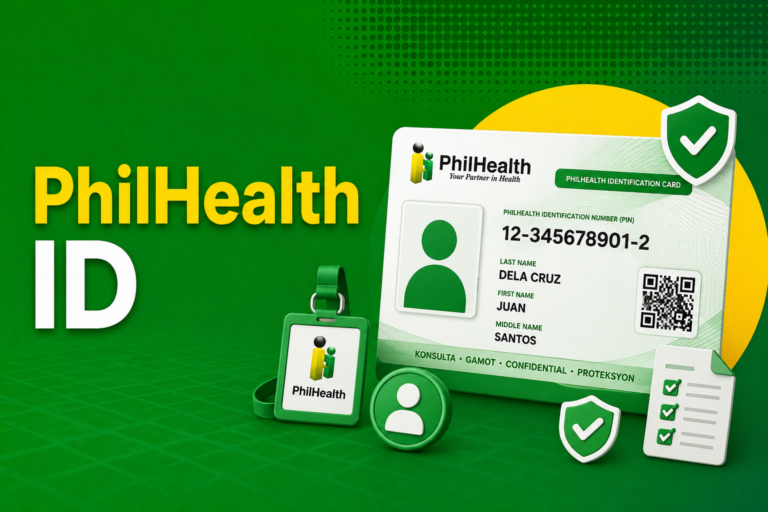
Getting the physical PhilHealth ID card requires a separate branch visit after your PIN has been issued. The PIN arrives first (by email for online registrants, or on the same day for walk-in applicants), and the card is printed at the branch.
| Requirement | Details |
|---|---|
| Valid government-issued ID | Original plus photocopy |
| PIN or confirmation email | As proof of completed registration |
| 1×1 ID photo | White background, taken within 6 months |
| PMRF (if not yet submitted to branch) | For first-time applicants registering in person |
| Affidavit of Loss | For replacement of a lost card (some branches waive this) |
| Minimal replacement fee | Around ₱90, for lost or replacement cards only; first-time ID is free |
The standard paper ID is printed on the same day at most branches. The PVC digitized card requires a separate request and a small production fee, and availability varies by branch since not all offices have PVC printing equipment.
Common Mistakes to Avoid
Tips for a Smooth Application
Download and fill out the PMRF at home before visiting a branch, since completing it on-site extends your waiting time significantly. Bring originals and photocopies of every document — some branches ask for an extra photocopy without advance notice. Verify that your name and birth date on all documents match your PSA birth certificate before submission, since fixing a mismatch after registration requires a separate amendment process. For online applications, use Chrome or Edge and scan your documents in clear daylight before the day of submission. If you are unsure which documents apply to your specific situation, call the PhilHealth Action Center at (02) 8441-7442 before heading out.
Frequently Asked Questions
What are the basic requirements for PhilHealth registration?
A completed PMRF, at least one valid government-issued ID with a photocopy, and a PSA birth certificate are the core requirements for any new member registration.
What IDs are accepted by PhilHealth?
PhilHealth accepts the Philippine National ID, passport, SSS/UMID, GSIS ID, driver’s license, PRC ID, voter’s ID, postal ID, Senior Citizen’s ID, and several others. Bring the original and at least one photocopy.
Do I need a PSA birth certificate to register for PhilHealth?
Yes, for first-time registrants. It is the primary document used to verify your name and birth date, which must match every field on your PMRF exactly.
What additional documents do self-employed members need?
Self-employed and informal economy members need proof of income or business activity, such as a DTI certificate, Mayor’s Permit, ITR, or a notarized affidavit of income, in addition to the standard PMRF and valid ID.
What documents do I need to add a dependent to my PhilHealth?
It depends on the relationship. A spouse needs a PSA marriage certificate; a child needs a birth certificate showing you as the parent; an adopted child needs legal adoption papers; and a parent aged 60 and above needs proof of birth and relationship.
Can I register for PhilHealth online without going to a branch?
You can complete registration and receive your PIN online. However, the physical ID card still requires a branch visit for printing and release. You can visit any PhilHealth Near Me branch and do that.
What do I bring if I lost my PhilHealth ID?
Bring a valid government ID, a 1×1 photo, and an Affidavit of Loss to any PhilHealth LHIO. A minimal replacement fee may apply. Your membership and coverage are not affected by a lost card.
What is the M2 form and when do I use it?
The M2 is the Member Data Amendment Form, used to update existing PhilHealth records — name corrections, civil status changes, address updates, or adding and removing dependents.
Conclusion
Getting your PhilHealth requirements right the first time saves you from repeat trips, rejected applications, and gaps in your coverage record. The core list is short — PMRF, valid ID, and PSA birth certificate — but the specifics grow depending on your membership category and what you need to do. Use the tables in this guide as a checklist before your visit, download the current PMRF from the official PhilHealth website, and confirm that every name and date on your forms matches your PSA birth certificate exactly.